Showing posts with label technology. Show all posts

Wednesday, December 21, 2016

Using Tech to Meet Learning Challenges: Dyslexia

We all have students who present specific learning challenges. As teachers, we look for ways to remove the challenges impeding their learning...or at least find strategies that we can teach them to become successful on the learning continuum. In the last several years, I have had several students who have arrived with a diagnosis of Dyslexia. The thing about a diagnosis is there is a danger that we make assumptions that every child with the same diagnosis is the same...they need the same types of supports. This is simply not true. Each student is special and unique. They are much more than their diagnosis. They have interests, fears, strengths, and challenges like all of their peers. As teachers, we must look at each student as a unique case and compile a cadre of tools, strategies, and practices that will not only help meet the unique needs of each learner but also empower them beyond our classroom walls.

I wanted to take a few minutes to share some of the tools that I have found that work really well with students who may be faced with the challenge of Dyslexia. Some of these work very well to support the learning of struggling readers or those with limited language proficiency. The key is for us to find the tool that will best need the unique learning needs of each one of our learners.

  • Audio books: I know that this may seem like a given to many, but I know personally, I overlooked this option for many years. Yes, we want our students to be able to read, analyze, and enjoy reading. However, when we want our students to apply content area standards like comparing and contrasting texts, identifying a theme, or supporting an argument with textual evidence, an inability to physically read the text, impedes a student mastering those standards. One thing that I discovered in my research is that the processing that takes place when one's eyeballs read a text and the processing that take place when one hears a text is very similar. With this tool, all students will have the opportunity to discuss and analyze a text with peers. (Digital audio books can generally be checked out from school or public libraries.) 
  • Voice Typing: For students with Dyslexia, writing is a major challenge. One simple tool that we've discovered is "voice typing" in Google Drive. This allows a student to speak their writing into a document. They do have to tell it when to punctuate and when to go to a new paragraph. I've had students who it would normally take 30-45 minutes to type a couple of sentences, who could compose and entire narrative within 20 minutes using "voice typing." For the first time, I was able to see their creativity and ability to compose in different genres because "voice typing" removed an obstacle to their learning.
  • Dyslexie font: Did you know that there is a special font that makes it easier for students with Dyslexia to read? It's called Dyslexie. With this font, students have an easier time reading things that are written. When creating printed material for students, my interns and I have started using this font for all of the students. For someone without Dyslexia, it simply looks like any other font. It's just simpler and easier to read.
  • Google Chrome Extensions: There are several extensions that students can add to their Chromebook Google accounts. Speak It will read selected texts out loud. The Open Dyslexic extension overrides all fonts on web pages with the OpenDyslexic font, and formats pages to be more easily readable. It works at preventing the "funny things" that happen to letters for those with Dyslexia. Sometimes, we need our student to read a text in order to build background knowledge. With TLDR (too long didn't read) by tldrstuff.com, learners can get a summary of a web page without leaving the actual site. We've had various levels of success with each of these. It all comes down to the individual student. My middle schoolers are very conscious of being different. These extensions allow them to continue doing the same thing on the same sites as their peers but provide them the support that they need. 
  • Video diaries, building, making: When it comes to assessing a student's level of mastery, there may be challenges for students with reading obstacles. However, their obstacles should not impede our ability to assess their level of mastery of content standards. All of my learners have the freedom to choose how they demonstrate mastery of standards. Often students with Dyslexia are very intelligent and creative and they have struggled to keep their heads above water at school. Many of them are exhausted by school. By providing them the opportunity to build, make, or create they are able to excel in spite of their specific challenges. 
When we can empower our students with tools, practices, or strategies, we see their passions and hear their voices...and so do their peers. They become an integral part of the learning environment. 

I'd love to hear some of the tools and strategies that you've found successful with your students. Please share them in a comment below.

Wednesday, July 17, 2013

SDE's Extraordinary Educators Conference

SDE's Extraordinary Educators Conference. I am eagerly anticipating being a part of this exciting professional learning event, July 21-22. If you are unable to attend, the good news is that there is a conference hashtag (#SDE2013) where you can learn from the comfort of your own home.

Here are some of the sessions that I will be facilitating:

  • Creating Student Directed Learners with Web 2.0 & Social Media (Gr. 3-12) Learn how, by creating a student-driven classroom and using technology supported projects, learners become self-motivated experts at mastering state and national standards and in integrating digital age learning skills into their lives inside and outside the classroom walls. With the effective support of Web 2.0 tools and social media, learning becomes relevant to students while advancing critical thinking, collaboration, communication skills, and creativity. With these tools students are empowered to make thoughtful and powerful choices for their own learning journey. See collaboratively produced Web 2.0 projects and social media applications spanning grade-levels and content areas.    
  • Technology in the Classroom: Are You Integrating or Innovating? (Gr. 5-12) 
    Is there a difference between integrating technology into the classroom and innovating with digital age learning skills? Today there is much discussion and focus on the technology tools that are being brought into the classroom, but often the focus becomes on the tools and not on the actual learning. This discussion focuses on strategies and practices that challenge our perceptions of digital literacies and the role of technology in today’s classroom. Is adding a technology project into our regular classroom routine enough? Will it help our students become competitive in today’s global society? Is there a key ingredient that our instruction must include? We will discuss best practices on meeting ISTE National Educational Technology Standards for Students, how to give students the tools to make decisions and guide their learning choices, and what innovation looks like in today’s classroom.
  • Can We Skip Lunch & Keep Writing? Collaborating in Class & Online (Gr. K-3, 4-8)  How can we motivate our digital-age students to embrace writing? By guiding our students into finding a relevant reason to write and providing them with an authentic audience, they become highly engaged in creating and communicating through their writing, across content areas. With a collaborative environment supported with digital tools, learners address their individual needs, pursue their interests, and step from the role of learner to leader by becoming experts at genre, mode, and content areas. Engaged in rigorous, critical-thinking writing projects, students not only embrace the opportunity to create and collaborate through their writing, but also actively seek more time to continue writing inside and outside of the classroom.
  • The Global Read Aloud: One Book, Thousands of Connections (Gr. 1-8) 
    Do you want to give your students an exciting, authentic reason to read and discuss a great book? Through different web tools and apps, the Global Read Aloud provides students an authentic reason to read, discuss, write, and publish with thousands of other students from around the world. By connecting with a strong network of fellow educators, you bring the world into your classroom promoting literacy and supporting digital standards.  Learn about the Global Read Aloud project, methods of becoming connected with other classes, and strategies for making this project work in your classroom.
  • Tools & Apps for Amplifying Student Voices: Making Formative Assessment Happen (Gr. 4-6) In today’s test-centric world, we may wonder how much of the content standards our students are really mastering. Through the use of formative assessment, supported by digital tools, we can determine exactly what each student has mastered. When students are given the opportunity to design their own rubrics, set their own goals, publish their own digital portfolios, and reflect on what and how they’ve learned, assessment becomes a personal investment for each student. Although managing formative assessment may seem time-consuming, simple strategies and digital tools shared in this presentation will enable teachers to easily facilitate it within their own classroom, empowering their own students to make their own choices.
  • Ask the Expert: Pinterest:"Thats' Pinteresting!" (Gr. K-12) What is Pinterest and why would I want to use it? Pinterest is a virtual pin-board where one can pin images, and their URLs, from websites across the Internet. The boards one creates can become an excellent tool for organizing resources and connect (and learn) with others from around the world. Join me in this informal session to learn how to set up a Pinterest account, manage it to strengthen your teaching practice, drive an audience to your professional blog, and create a professional development hub for your school, district, or organization. It's fun, it's educational, it's Pinteresting!
I always look forward to all of the amazing educators that I meet and get the opportunity to learn from at events like these. See you soon!

Thursday, June 27, 2013

Concerned Teacher...thoughts from ISTE13

Everything is Bigger in Texas.
ISTE is "my conference." If I don't go to any other conference during the year, I always block out time to be there. This year was my twelfth year...eleven of those I have presented. Yes, ISTE is bigger than life; I guess what they say about everything being bigger in Texas is true at ISTE too. However, as I begin to process and contemplate on my experiences over the last few days, I have to say that I am concerned.  I am concerned that as educators, we have lost sight of what really matters. This conference is not a technology conference; it's an EDUCATIONAL technology conference. It concerns me that many of my fellow educators have lost sight of that distinction.

With so many options at ISTE, it is difficult to select the right events, sessions, and activities. The word I heard most often was "overwhelming." Today, our students are diverse individuals with unique needs. There is not a one-size-fits-all solution. As educators, we must have a plethora of options. Using my previous ISTE experience, I looked for sessions that would deepen my understanding as a teacher. I want to continue to grow and learn new ways to provide my students with the best possible learning opportunities.  I want to sharpen my teaching practice. After all, this is an educational conference...we're all educators.

As I attended session after session, I became a bit disheartened. In almost every session, the entire focus was on tools and apps. Very few student examples of work were shown. The work that was used as examples, although fun to watch, held very little merit. After a day and a half of this, I sent out this tweet:


I am a concerned teacher. Where is the high level of engagement? Where are the learning activities that are promoting higher level thinking and problem-solving? How are students connecting their learning to their lives? Where is the creation of something new to share with an authentic audience? And collaboration...maybe I have a different definition than many others. I believe collaboration is when students each contribute something unique to a project. 

I began to wonder if I had unrealistic expectations. If so, I realized that I would not have very many to attend my session, "Are you integrating or innovating with technology?," because in my session there is a heavy focus on best practices and the role that technology has within our classrooms and schools. Yes, I share tools and apps; yes, I share student examples. But these tools and examples are used to support how we as teachers need to change our thinking and our practice in order to empower students. The conversation we had during this hour I found exhilarating. Many of the people who attended (it ended up being a closed session with people being turned away) expressed similar concerns to mine. They also had been looking for substance that they could take back to their schools and districts.

Of course, there is a place for the "60-tools-in-60-minutes" type of sessions as we do need to know what is out there, but it doesn't need to stop there. As Vicki Davis tweeted, we must "transcend hype and share practical ways that give us hope to reach all kids." We need to remember to keep our focus and become discriminating in our teaching practice. Dressing up a pig doesn't change the fact that it's a pig. Likewise, all the bells, whistles, and animations does not take the place of true learning and teaching. After all, it is not about the tools....it's about the learning...and our students are counting on us.

P.S. I'm positive there were other sessions out there offering fantastic models, practices, and ideas. I'm sorry I didn't find you this year. Please realize that I'm writing from my own experiences. Thank you ~J

Tuesday, June 11, 2013

Mythbusters: Technology in the Classroom

I recently had the good fortune to hear Rick Riordan speak (he's the author of the Percy Jackson series...plus many, many more amazing books for middle level readers). Of course, when you mention Rick, one can't help but think about myths as those are the foundation of all of his books. His keynote was about the "Myths of Reading." This got me to thinking about the myths that many educators believe regarding technology in classroom. This is 2013 and I think that sometimes we get caught up in the minutia of our teaching and non-teaching responsibilities and forget that the world around us is changing. If we want to remain relevant for our students, then we too must adapt.

Here are the five most common myths regarding technology in the classroom that I hear from teachers. Let's bust these myths.

Myth 1: I don't know enough about technology to use it with my students.
Many of us grew up and were educated during the time where the teacher was the disseminator of information. The teacher was considered the content expert within the classroom. Once we begin to teach, it is easy to fall into the mindset that we must know everything and be able to answer all of our students' questions.
Yes, we are the content specialists and strategists in our classrooms, but students no longer need us to just deliver content. They have access to content 24/7 in the palms of their hands. They need us to guide them in how to use and apply this knowledge to create, collaborate, and critically solve authentic problems.
How do we overcome the fear of not being the classroom expert in technology? We change our mindset. Yes, we need to have some basic understanding of how a tool is used. However, the most important aspect is not how a tool works, but how a tool supports the learning needs of our students. My students learn how to use tech tools much faster and more efficiently than I do. Nevertheless, they understand that a tool is just that, a tool to support their learning. I am honest with my students and let them know that we are all learners looking for new ways to strengthen and grow as individuals. This takes the focus off of me (the teacher) and places it on the students and their learning.
Myth 2: Technology is an "extra" in the school day.
Believe it or not, I hear this one quite frequently. Often technology is treated as a separate entity where students go to a computer lab or the classroom computer/iPad to play games as a reward. Is that really the role of technology? Absolutely not! Technology is fully embedded in their daily lives. We need to embed technology seamlessly into our lessons and into their learning activities in a meaningful way. It's a tool, just like a pencil, a book, a globe, or a microscope. We only pull those tools out when they are relevant and meaningful for the learner. Technology is no different, but is a part of their lives; it cannot be ignored. As their teachers, we need to provide them with the opportunities for harnessing these tools to safely support their learning.
Myth 3: It is time consuming to teach students tech tools.
I agree that if I did a mini-lesson on all of the tools that my students use throughout the school year, it would take an enormous amount of time. That is why I spend very little time focusing on the tech tool. When we begin a project, we focus totally on the content standards and learning goals. We do not ever mention their mode of publishing (the tool) until they at the point of publishing. Then students select the tool that they feel will strengthen their voice in this project.
Many teachers ask how they know what their options are. There are several ways that I expose my learners to the different options for publishing their projects. First, at the beginning of school, we have an online scavenger hunt where the students search through our different school websites, wikis, and blogs. Through the scavenger hunt, students will see many different projects that past students have published. They may not remember the name of all of the projects, but they do remember what the final product looked like. 
Secondly, my students are connected with their global peers through projects like the Global Read Aloud. On these projects, they collaboratively work with other students and learn from them different tools and manners of publishing their work. Because they want to find something new to share, often my learners go searching for new tools and apps on their own and bring it to me to share how it will support their learning. When I find a new tool, I'll share it with a couple of students and have them explore it and review whether or not it would fit into the projects on which they are working.
These methods take very little class-time, but they put technology where it belongs in the learning environment...it is there to support, not be the driving force in the learning.
Myth 4: My students don't have keyboarding skills.
Quite frankly this one surprises me. However, many teachers equate technology with typing. Let's face it, today's students usually have an email account, but they rarely use it. They spend a majority of their time using a smart phone, tablet, or iPod Touch. Although these have keyboards, they are not traditional keyboards. They are very adept at using their thumbs/fingers to type on these devices. Should their ability use technology to support their learning be hindered by the fact that they are not using the traditional typing methods on a desktop or laptop? My 5th grade students have never been taught formal keyboarding skills. Would it be helpful for them to learn? Probably, but when given the choice of taking valuable school time to teach them keyboarding or giving them time to collaborate and create with their peers, I will always choose the latter. I think what we really need to focus upon is how these devices are helping them grow as learners rather than whether they fingers are on the correct keys when they are typing. 
Myth 5: Technology will motivate students.
When a teacher says this, I always wonder how long they expect the motivation to last. Students are exposed to so many technology gadgets at such a young age, if this is the sole source of motivation, you run the danger of desensitization.  I call this "Christmas Morning Syndrome." All kids are thrilled on Christmas morning by all their new toys. All they want to do is spend time playing with them. But, where are those toys in July? Usually sitting on a shelf or in a closet. Toys and gadgets only give a brief moment of motivation; the more students are exposed to these tools, the quicker they lose interest.
How do we avoid this in the classroom? We must evaluate what truly motivates students for the long term. When students are given the opportunity to make decisions and take ownership of their learning, levels of enthusiasm skyrocket. Today's learners want to connect and collaborate with others applying their knowledge in meaningful and authentic ways. They want to know how what they are doing in class affects their lives today...not some vague, undisclosed time in the distant future. Our learners have high expectations for what they want out of their education. Is technology present? Yes! Technology is the medium we can use to provide all of these aspects for their education, but technology is not what will motivate students for the long haul....student-directed learning is.
I know that this is not an exhaustive list of educational technology myths, but these are the ones I hear most frequently. What myths do you hear? I'd love for you to share some ways for busting common myths for technology in the classroom.

photo credit: marksmotos via photopin cc

Saturday, November 3, 2012

A Wow Way to Support Student Learning

Those of you who follow me through other social media know that my students participated in the Global Read Aloud where 24,000 students worldwide read, discussed, analyzed, and published work based on one book. This year the book selected was The One and Only Ivan by Katherine Applegate. To say that my students enjoyed it was an understatement. Not only did they enjoy getting to know these well-written, deeply engaging characters, they also had an outstanding piece of literature to analyze through the lens of a writer.

This book was based on the real life of a gorilla named Ivan. One of the experiences that we (me and the other teachers in our school engaged in the GRA) wanted to provide for our students was being able to visit the Atlanta Zoo, the (eventual) home of Ivan. None of our students had been to the Atlanta Zoo (which is really worth a trip) and many had never been to Atlanta which is only 2 hours away from where we live in Alabama. We knew that this would be an amazing learning experience for our students.

Initially, we planned on taking several digital cameras for the students to take photos of our trip. However, one of my students suggested that we turn those photos into "movie to share with all of the other kids who can't go to see Ivan's home." Pretty brilliant, huh? They all agreed. That's where some real creativity took hold. With that in mind, students brought their own devices on the trip, took photos and shot video of their experiences.

Once we returned, I introduced them to TripWow, a free and very user-friendly tool by Trip Advisor that takes photos and turns them into a travel documentary. My students took all of the photos, debated about which photos best taught their audience, combined them together, added captions, and published it for all of the others students.

The discussions about what they had learned were so rich, they found they couldn't say everything that they wanted in the brief captions on TripWow. That's right, they felt the need to write more...to share their learning with others. So they turned to our class blog. Once they started collaboratively working on a class post to publish to accompany the TripWow,  they discovered that the learning that they wanted to share with their global peers was too long for a class post. There were also more photos and videos that they wanted to include. So they turned to their own blogs.

They have spent the majority of this week writing, editing, collaborating, and publishing because they felt the need to give back and share with their GRA learning community. As I reflect back on this week, it really does make me say, "Wow!" Look at how they took a simple experience and turned it into something amazing that could teach so many others. They truly understand the importance and power of harnessing digital tools and social media to empower not just their learning, but the learning of thousands of others.

Without further ado, here's their TripWow...

The Atlanta Zoo Slideshow: Mrs.’s trip to Atlanta was created with TripAdvisor TripWow!

Tuesday, September 25, 2012

Looking to Connect Your Students? First Steps in Social Media

There is much debate about the use of social media in the classroom. Those of you who follow my Twitter/Facebook/blogging/speaking know that I am pro social media. Our job is to prepare our students for today's world. Our classroom is the opportunity to teach students the importance of making safe choices while they are engaged in social media...and let's face it, even our youngest students are already there. We can guide them in how to safely harness the power of social media in order to support their learning.

As I mentioned in my post, Our First Day(s) of School, we begin these discussions from the start of school. I want for them to develop these skills before we begin connecting with other students. Many may wonder how to take their first steps. When I started, I really had to search to find other classes with whom we could communicate, create, and collaborate. But the good news is there is a prefect project where you can make connections and have much support as you venture into this avenue. This project is the Global Read Aloud.

The Global Read Aloud is the brainchild of fifth grade Wisconsin teacher, Pernille Ripp, who had a vision of connecting students from all over the world through the reading of one book. Teachers are invited to participate, add their ideas and then a mutual, collaborative project is formed. This year the books selected are The One and Only Ivan by Katherine Applegate and Charlotte's Web by E. B. White.  You can select which book best meets the needs of your learners.

So what does social media in the classroom have to do with reading a book?  Simple, teachers register to connect with other teachers. You can connect through Skype, Twitter, Edmodo, Google Hangout, or KidBlog. If there is another way you would like to connect, simply put it on the form and see if anyone is interested in connecting in that way. The great thing about this project is that it is participant driven. The teachers who are here are here because they are passionate about connecting students through the reading of literature. If you have been wanting to try a new tool in your classroom, this is the perfect opportunity to do that because you have a very supportive network of teachers willing to help you. If you are unable or uncomfortable in participating using social media, there is also the Global Read Aloud wiki complete with the reading schedule, a map of participants, and a place for students to publish their writing and projects for other students to enjoy. This is a project that you can  mold into whatever the needs are for your students.

We know the power of reading; it takes the readers on new adventures, challenges their thinking, and inspires them to action. Thanks to Pernille and all of the teachers who’ve connected through the Global Read Aloud, we can bring the world into our classrooms, giving our students an authentic and exciting way to discuss literature and have their voices heard globally. 

If you haven't connected with the Global Read Aloud, you still have time. It begins October 1st. Won't you join us? Your students will become so passionate about reading, connecting, and collaborating, they will be begging to continue the learning long after the project ends.

Wednesday, September 19, 2012

Whose Voice is Heard?


At this time of year, we see many people sharing their beginning of the year activities and strategies. You see tweets, blogs, Pinterest pins, Facebook posts, articles, and Back to School Conferences. Many people asked me how we started our year, so I shared some of our activities in the post Our First Day(s) of School. In that post I also explained that I felt like it's not so much about what you do as it is about how you do the activities. Are you nurturing a learning community that communicates, collaborates, thinks deeply, and puts the learning into the hands of your students?

As I mentioned in that previous post, one of the activities that we begin the first week of school is blogging. My students set the criteria for themselves. They know what is expected of them when they blog because they set those standards.  Blogging is one of the most powerful ways for me to get to know my students, academically and personally. Through their writing, I get to know about their thoughts and expectations, their strengths and weaknesses, their hopes and dreams. They reflect on their own learning, discuss the things they wonder about, and generate meaningful conversations on a wide variety of topics. 

I have written several posts about the drastic decline in my students' interest to read. When conducting a survey in math about favorite school subjects, reading has fallen at the bottom of the list every year for the last three years. So when a student posted the following comment in a blog last week, I saw an opportunity to facilitate a blog conversation with the class. He wrote,


I asked him to clarify what he meant and share his thoughts on those statements. He obviously understood the relevance that reading has in everyone's life when he replied with...


This was like throwing a match on extremely dry tinder. It ignited a heated discussion among my students who expressed their frustration in our prescriptive reading program and all of the different aspects of it. No one had ever asked them how they felt about it. They shared how much they wanted to be able to just read books, articles, blogs, comic books, and graphic novels for fun. I found it interesting that they began to formulate ideas of how to work around all of the required practices to include what they found meaningful. They weren't complaining, they were problem-solving. All of this dialogue was generated by one student who stuggles in reading because English is his second language and not spoken in the home.

This just reaffirmed what I already knew. Students need a voice....every student. This is their education. Let them discuss it, try new things, and find their own solutions. The learn to communicate effectively and critically analyze. It empowers them and sets them on a path of being a highly-motivated lifelong learner in spite of obstacles they may face.

When people ask me which tech tool I find most valuable, I find it difficult to come up with one tool because we use so many to support the diverse needs of my diverse students. However, with blogging, my students have an avenue to share, discuss, reflect, dream, plan, and debate. It has greatly enhanced the way I teach my students and the way that they learn. If I could only use one tool, blogging would be my choice. Because with blogging, my students each have a voice.

Monday, March 5, 2012

A Few of our Favorite Things

As I've been tweeting and Pinterest-ing (is that a word?), I got an iPad for our classroom.The reason I didn't jump on the bandwagon earlier was that I wasn't convinced that an iPad could offer my students learning opportunities that they couldn't find elsewhere. A vast majority of the apps I had seen, turn students solely into consumers. Just because you make a worksheet (or textbook) digital doesn't change that fact that it's still just a worksheet. I want my students to be more than consumers...I want them to be producers of  new content. After some research I found enough of  reason to make this purchase for my learners.

They are having a blast embedding the iPad into their learning routine in the different content areas. What I'd like to share today are some of the tools that we have been using to increase our productivity and efficiency of regular classroom routines. With these apps the students take (further) ownership of their learning environment.

Our Favorite Things... Productivity Edition:
  • Confer As we all strive to meet the needs of our individual students, one of the most daunting tasks can be documenting the progress of each learner. Over the years, I have tired all kinds of methods...folders, binders, tables in Word (many of our school computers don't have Excel), but I knew there had to be a more convenient way for me and my students to track their progress in each subject. Not only do we chart their successes, big and small, but my students create personal goals in each content area. Confer does all of this and more. Through confer, you can easily form flexible small groups and you can export your data as a Google spreadsheet or a an email attachment.  You can tell this app was created by a classroom teacher who knows what teachers and their students need to make their conferring productive. Here is a video demonstrating how Confer works.
  • Notability We all have to address what we do for students who are absent from class. How do we keep them informed? How do they know what they've missed and get caught up with their peers? We started using Notability. Each student takes a turn creating a note of the day's activities. The notes can include text (class activities, homework, classwork, deadlines, announcements, etc.), photos (my students take photos of the flipcharts they use, review games, vocabulary lists, science experiments, etc.) and audio (of me or one of them explaining something that needs more than text or photos). When a student is out for a day or two, he/she comes in when he/she returns to school, pulls up the note for the dates he/she was out and discovers exactly what went on in the classroom that day. The notes are also easily emailed, so they can also be sent to parents.
  • Teacher's Assistant Pro Another task that can easily take up precious instruction time is documenting behavior within your classroom. We know how important it is to document everything: good, bad or ugly.One thing that I do with my students when we privately discuss their behavior is that I have them design the consequences and future plan of action for their behavior. It puts the responsibility on them to make any necessary changes. This app is easily customizable to meet your needs. So if you like to send home positive behavior reports like I do, this can be easily done as well. This app comes with a feature where with the click of a couple of buttons, the behavior report can be emailed to parents. You can tell that this app was also designed by a classroom teacher. Here is a video demonstrating the basics of how this app works: 


So although these apps may not seem as flashy as other apps, in the hands of my learners, they have increased our productivity and given us more of that valuable learning time. It's given my students tools to track their progress and take further ownership of their personal learning journey. And that is what all tools we bring into our classroom should do.

Thursday, January 12, 2012

Weebly to the Rescue

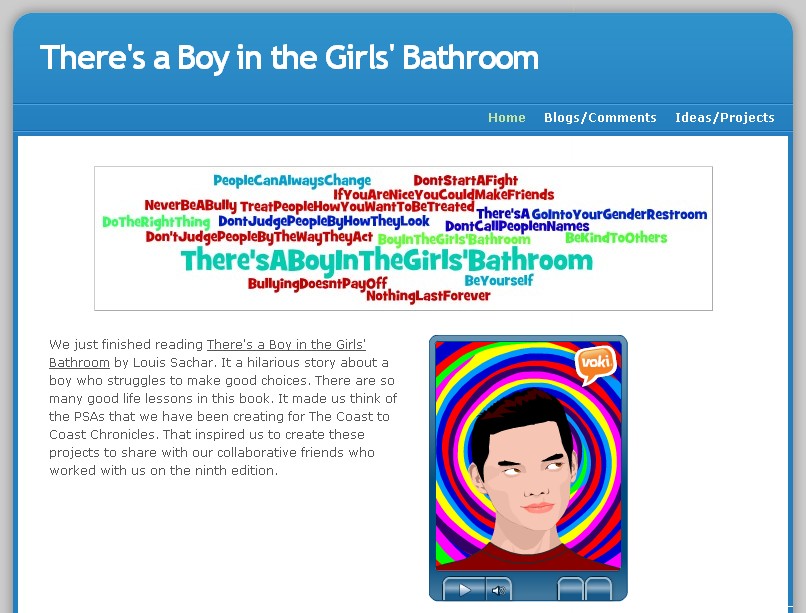
As my students were putting the finishing touches on their collaborative PSAs that they were creating with students from across the country, we were reading There's a Boy in the Girls' Bathroom by Louis Sachar. One of my goals this year is to bring more literature into our day in spite of our rigid schedule and prescriptive reading program. (See blog A Book in a Day) I select books that have high interest for the students in my class, that spur great conversations, and that reinforce the standards that we're studying. This book has many of the themes that that go along with the Coast to Coast Chronicles Edition 9's theme. The 200+ students wanted to create and collaborate on the theme of "Making a Difference." These PSAs were for The Coast to Coast Chronicles.

As we finished up our book, my learners asked if they could create different projects to go with the book that would also connect to their collaborative work on the Coast to Coast Chronicles. That's right...they asked to do these projects. They brainstormed all kinds of ideas about what they wanted to create. As with everything else, we only had a small amount of time that they could work on this project from start to finish. They wanted to publish "a digital poster that would hold their different projects." My first thought was that we would use Glogster. But after a few minutes, we discovered that it was blocked at school. One student said, "I wish we could just create a website or something." Great idea. That's when Weebly came to the rescue.

http://theresaboyinthegirlsbathroom.weebly.com/
Weebly is a free site (there is an upgraded paid version) that allows one to create websites. It has a very easy drag and drop interface that my students navigated very quickly. There are preset themes and templates to get you started. While two of my students started setting up the page for the class, the other students broke into pairs and began planning and writing their projects.

I conferred with each pair several times throughout this project. They knew that they were responsible for explaining what they were creating and why it supported the themes of the book and the Coast to Coast Chronicles. Several of them wanted to tell about the story and the themes through a certain character's point of view. After writing, and conferring with me, they decided that Voki would be a great way to publish this. (See blog on Voki). Another team wanted to use the camera and act out what they had learned from the book about bullying. They decided to publish is as a Voice Thread. Others wanted to write poetry. They wanted to create songs with their poetry. We pulled up Songify on my smart phone, they selected the music that they wanted to use, read their poetry into the phone and published their song.

http://theresaboyinthegirlsbathroom.weebly.com/
My learners were so excited about what they were creating because they felt like it was going to be a surprise to all of their collaborative Coast to Coast partners....a little something extra for this edition. Of all the tools used, the one that's holding it all together is Weebly. It may not be as flashy as a VoiceThread, Voki, or song, but without it my students' planning would have probably stopped short. It housed all of their creativity and supported so much learning. So although it probably won't be discussed much when the other students see our Weebly, my students know that it's the tool that made it all this student-directed learning possible.


Thursday, October 20, 2011

What's In Your Writing Tool Belt?

With today being the National Day on Writing, my students and I have spent some time discussing "why I write." They have actually created tweets to add to the hashtag #whyIwrite throughout the day today. When I think about the what has made the biggest difference in my students' perception of creating and writing, it has to be that they now write and publish for an authentic audience...not just for me or some mystery scorer. Their writing has an audience and a purpose.

So on this National Day on Writing, I would like to share our top ten favorite tools that support writing. These tools empower my writers by strengthening their voice.


  1. KidBlog- Those of you who have been following my blog know that my learners have latched onto blogging like a fish to water. They have become voracious writers sharing what they are learning, reading, exploring, or contemplating. Rarely is there a time when at least one of my students isn't blogging. They have found the power of personal reflection and love the aspect that what they write has an audience who will continue their conversations and challenge one another's thinking.
  2. Voice Thread- This is a truly collaborative tool that allows participants to make comments and continue conversations. Usually my writers create a piece of writing, upload it, record it and then their peers will comment upon one another's writing. Comments can be done with text, voice, video, or doodling. 
  3. Wikispaces- Wikis are a fast and simple way for students to collaboratively publish their writing projects. It gives you the ability to not only insert text, but also insert Word documents, audio files, URLs, PowerPoints, video files, spreadsheets, and photos. And if that wasn't enough, you can also embed projects like VoiceThread, ToonDoos, Vokis, Xtranormal, Wallwishers, and Livebinders directly into a wiki.
  4. ToonDoo- ToonDoo is a tool that lets the writer create a comic strip. They provide a huge gallery of clip art and speech bubbles, my my creative students love drawing their own illustrations, scanning them and uploading them into their ToonDoos. You can also upload photos. If your students want to create more of a comic book page than a comic strip (like my students), you can try using ComicLife.
  5. PhotoStory-My learners love taking their writing and turning it into a digital story. When they finish publishing,  we often have a viewing party.  The tool that we turn to most often is PhotoStory.It is very intuitive to use as it walks the user through every step of the publishing process.
  6. Audacity- If you are looking for a tool for your learners to create an audio file or podcast, Audacity is user friendly. There are the basic functions of recording a piece of writing as well as a lot of bells and whistles which can really tap into a student's creativity.
  7. Lintor Publishing- I described Lintor Make-a-Book in this blog post.  Because sometimes writers still want a tool that allows then to hold, carry, and physically share their books with others, my writers love using Lintor's products. They provide a variety of templates as well as book sizes so that students have the opportunity to create their own hard copy, hardcover book from start to finish.
  8. Twitter-In class, we have a Twitter account. Many of you may be wondering about this as a publishing tool as a user only has 140 characters. However, with Twitter, my learners have to learn about being succinct and powerful in their words choices. It has really helped them to focus on their message and the best way to get that message across to their followers. They all agree that standard English is what we use when we tweet from school...no "text speak" so that all of our audience understands what they are saying.
  9. StoryJumper-In this post, I wrote about a project that my writers created using StoryJumper. StoryJumper allows students to create digital storybooks which can also be purchased should someone want a copy. StoryJumper has huge selection of clipart and backgrounds, but writers also have the ability to upload their own artwork and photographs, which my learners love.
  10. Voki- I wrote about Vokis in this blog post.Voki allows the user to create a personalized talking avatar that can be easily embedded into wikis, blogs, profiles, and email.Voki has the option for the creator to type the text they want spoken or record their voices with their avatar. 
So there's our list...for now. Ask us again what our favorite publishing tools are in an hour and you would probably get a different list. The one constant is the role that these tools play in our stduents' writing....they support the writing; they are not the driving force. We would love to hear about any publishing tool that your students enjoy. Have a happy National Day on Writing today.

Friday, October 14, 2011

Students Seeking Validation Through Writing

Those of you have been reading my blog know that I recently had my book published. In fact, while I was in DC, I made a trip to the Library of Congress.  Not only is it a beautiful place, it is the home of books, learning, knowledge, and wisdom. Many people do not realize that it is solely a research library where books are not checked out. Also, many people do not realize that the Library of Congress only physically houses 10% of the books ever written. I was curious...would my book be one of the 10%? After asking several people to help me find the answers to my curiosity, I finally found a librarian who was willing to dive into their records. A few bated breaths later, she turned the screen to show me that my book was not only registered there (which I knew Stenhouse had done), but it was also one of the 10% housed there onsite as a physical book. She and I both did a little jumping and clapping to celebrate. I was waiting for another librarian to blow us over with her powerful, "Shhh!"


Afterwards, I have been thinking about the power of publishing your work for others to read...especially in regards to our students. Those of you who are familiar with my classroom know that my students use a wide variety of digital tools for publishing their work for a much wider audience. They love all of the different publishing tools that they use (and are constantly finding new ones), but one of their favorites is still using Lintor Make a Book to create their own hardcover book. It still surprises me that with all of the other digital tools that they use, my students thoroughly enjoy...and seek out new opportunities...to publish a hardcover, hardcopy version of one of their pieces of writing.

Lintor Publishing makes publishing a hardcover book extremely user-friendly. Their product makes it simple for students to create and publish their own hardcover books from start to finish. They have a variety of book publishing packages to fit most needs.

Just like me, (I wanted tangible evidence that my book was in the Library of Congress) sometimes our students enjoy having that tangible book in their hands as evidence of their hard work.They like taking it to share with others. My authors love taking their books to read to younger students.We keep a library of their books for them to be read by everyone in the class.They are shared with anyone who will take time to listen and look at their books. Their books always receive a lot of attention at our Young Authors' Conference because they look so professional and my students are so proud of and enthusiastic about what they've created. After all, they created it so that others would read it.

So next time your students begin to publish, remember that sometimes students want to have that tangible book in their hands to share with others. It's a way for them to receive validation for all of the hard work that they've done.

(As a side note: Many of you know that the community where I teach was hit by the April 27th tornado that came through Alabama. One of the first people to reach out to us was Janice Miller, owner of Lintor Publishing. She not only reached out as concerned  for our safety, but she suggested that the students have the opportunity to do some therapeutic writing about their experiences with those storms. She generously sent my class book covers so that they could publish their own books. Her generosity touched my students and they treasure those books that they wrote.) 

Sunday, September 25, 2011

A Tale of Two Tools

In a small school, not too far away, two tech tools hesitantly stepped into a classroom of excited fifth graders. The anxious fifth graders were sitting in pairs with net-books at their fingertips awaiting a new experience...one that could make them experts. The first tool, Lit2Go boldly stepped up first.


Lit2Go knew his power. He has hundreds of pieces of literature to share with the world. They are in print and MP3 and he can find what anyone needs whether by author, title, reading level, or subject matter. If those don't work, he also has the power to search by keyword. He's confident in his abilities to put quality literature into the hands of every student.

The students excitedly put Lit2Go to good use and found examples of 71 different fables to read, listen to and discuss with their partners.But where would these students put their new-found knowledge? That's when Lit2Go remembered his friend who had come into the classroom with him. He looked around and saw Lino-it waiting patiently for her turn.

Lit2Go called, "Hey, Lino-it! These kids need you. They have all of these new discoveries about writing in the fable genre, but they have nowhere to put all of this new knowledge. Can you help them?"

"You know, I'm the master of organizing important things. They can put post-it notes on me and I'll help them collaboratively build a wall that they can use day after day while they are writing," Lino-it confidently replied.

Together Lit2Go and Lino-it worked to help these fifth graders become experts at analyzing and creating fables of their own.The students loved that they had a plethora of fables to read and learn from. They were thrilled about how they could individualize the look and organization of their post-its on Lino-it, building their own tool to help them create fables for their collaborative fable anthology project.

At the end of class, Lit2Go and Lino-it gave each other a high-five, "Smack!" They knew that they had done their job and supported the learning and discovery of an amazing group of fifth grade students. These students were now fable-writing experts thanks to their support. They look forward to teaming up again whenever the need arises.They wave "good-bye" to the class as they set out in search of another class that may need their support.

The moral of this story is that powerful student learning is enhanced by quality tools like Lit2Go and Lino-it....so choose wisely.

(PS My students..who have discovered this blog...may point out that I missed a few of the characteristics that they discovered about fable writing in my little fable here. That's fine with me...they are the experts now.)

Tuesday, September 6, 2011

An Update to the Reading Log Conundrum

A while back, I wrote about our school's nonnegotiable practice of requiring every student to complete a reading log and how I felt like it was counterproductive to a student developing a real love of reading. Here's the original post. Since then, I've had quite a few people question me about that blog and request an update.

As I wrote earlier, my students started off the year blogging. One of the expectations that my students designed was that their individual blogging would replace the dreaded reading log, among other things. In fact, most of them have taken to it like a fish to water. A few others have needed to have a bit of encouragement that their voices were important enough to be heard.

Now, I realize that I have a totally different set of students with totally different needs than my previous class. However, this is one of he most diverse classes that I've been fortunate enough to work with. With that in mind, I want to share with you what I've observed.

When my students complete an activity, project, or assignment, they are much more likely to pick up a book and read. Shortly after they've read a few minutes, they ask to use the computers so that they can blog. (As an aside, the students don't have to ask me to use the computers. It's a hang over from previous years.) When I finally asked one of my students about their willingness to read as often as he was, he said, "Well, in my last blog post, I told about what was happening in my book and made a prediction. Three people commented on my post and asked me questions. I had to find the answers so that I could answer their comments."

My students have discovered what has escaped so many, well-meaning educators: Having an interactive conversation about a book, even through writing, provides students a reason to read and write. It's so simple really. How many of want to share something great we've read with others? Isn't that what we see so much of on Twitter? How about all of the book clubs that people have? All of those speak to the fact that we like to talk about what we've read. We want to share our discoveries with others. It's real, it's relevant, and it's fun!

...and as a side note, I'm finding a ton of new books to read, all reviewed by my 5th graders!

So is it working? Absolutely! However, if at any time it doesn't work, my learners know that we will stop, have a discussion, find a solution, update our blogging expectations, and move forward. I love that my students have taken such ownership of their reading, writing, and blogging. It's exciting to see every day.

Wednesday, July 20, 2011

The Real 3D...No Glasses Required

This summer has been a hectic one for me....exciting, but hectic. I have been busy travelling to conferences and participating in activities to promote my new book, "Can We Skip Lunch and Keep Writing?" As I'm preparing to travel to D.C. for the National Boards for Professional Teaching Standards Conference, I am looking forward to many things: getting to speak with our congressmen about the importance of National Board Certification and education in Alabama, networking sessions to make new connections, learning new things to add to my educational knowledge, my presentation on Empowering Students, and a book signing. However, what I am most looking forward to would be getting to meet the people that I've been working with for over three years now.

People not involved in technology like twitter, blogs, Skype, or Second Life, think it's a bit strange that you have friends that you've never met. One person tweeted at the beginning of the ISTE conference whether they thought that face to face conferences would eventually become a thing of the past. That really got me to thinking. Would it? As I continued to ponder that thought, I had the opportunity to meet, for the first time, face to face, with five of the other seven teachers involved in the collaborative project where our students collaboratively publish The Coast to Coast Chronicles.

We made the time in our busy ISTE schedules to meet and chat over lunch. As we talked and brainstormed ideas for the next year, I kept thinking, "What an amazing group of women. They're smart, and funny, and compassionate." I loved just listening and watching their mannerisms and inflections. Of course, I already knew much of this from our planning times via Skype, TodaysMeet, and emails, but after meeting them those previous meetings seemed so two-dimensional. What was missing was that depth that you only get from face-to-face interactions.

Now don't get me wrong...technology opens up all kinds of worlds, connections, and collaborations, but sometimes I think we get so caught up on the possibilities, we lose sight of how important it is to make those personal face-to face connections. We need to keep that in mind when we are offering opportunities to our students. Technology does open up an infinite amount of opportunities for them and us, but nothing can replace actually touching a snake, receiving a pat on the back, or getting a high five when success is achieved.

So as we beginning planning for next year and we include all of our great collaborations made possible with technology, let's remember that our students also need a that three-dimensional, hands-on experiences that only we can provide for them.

Thursday, July 7, 2011

When is Enough...Enough?

I recently reflected on some of my ISTE2011 experiences, but I still have something rattling around that I feel I need to further explore. One of the things that I often hear from newbies to ISTE is the overwhelming volume of opportunities to learn and connect. One of the things that I love about ISTE is that there are so many ways to learn with and from so many other passionate educators from around the world.

As we connected and shared with one another, this year I noticed that a majority of what we were sharing were the tools and how they supported learning. I was thrilled that much more of the conversation was about the learning as this is what I passionately believe in.

However, this is often not reflected in the Exhibit Hall. Amanda Dykes did a great blog post about the misguided selling seen in so many of the vendors in this year's Exhibit Hall: It's easy and cool. Now, I realize that the exhibitors are the ones that sponsor the conference, but don't they need to hear from those of us who are in the classroom? My students would walk away from a booth and say, "That was fun, but I don't see how it's going to help me learn better." Now if 11 year olds get it, shouldn't exhibitors get it?

It's easy to get caught up in the newest, hardware or software. It's new and shiny and the salespeople are good at convincing you that your classroom is incomplete without their newest tool. We all enjoy new toys. But it's our job to really look at the tool and see if it really will improve the way our students learn or if it is just  a fun new tool to amass in our classrooms.

If you look at the ISTE NETS, you will see that technology plays a supporting role. It supports collaboration, innovation, creativity, and critical thinking. Technology doesn't do it for them. The focus is on the learner and how they use technology to support their learning across content areas and grade levels. We don't always need more "stuff." So many of the tools we use in the classroom that supports real, rigorous learning are free tools that are available online.

So the next conference that you go to, really listen to what someone is saying. Are they sharing something that will really positively impact your students' learning or are they trying to sell you on a new toy? Sometimes you already have enough in your classroom. Enough can really be enough.

Friday, July 1, 2011

ISTE Insights from Troublemakers

I've just arrived home from ISTE11 which was held in Philadelphia, PA this year. My experiences are probably much different than most of the other 20,000 educators in attendance as I travel with a group of my 5th grade students. For the last nine years, I've had the opportunity to bring a group of students to present their big technology project for the year. We count it as an honor to be invited to travel and share our experiences. However, even though we do attend the conference every day and attend sessions and workshops, having students with you changes your perspective on what you are seeing and learning. We always have great discussion and debates about how we can adapt and change our learning practices based on our new insights and learning. Yes, they are 11 year-olds and their insights are priceless.

The highlight of each ISTE for me is to see my students present their project (This year they shared our collaboratively produced, student-driven journal). Yes, THEY do all of the presenting. They begin working on their presentation and public speaking skills in February. They design and create the look of their display. Knowing that many of the students that attend each year are students who have overcome great obstacles to find personal and academic success is fulfilling. Hearing all of the comments from the 400+ visitors to their presentations is gratifying for me because they see the value in what my students have to say. My students exude confidence and enthusiasm for their topic because it is THEIR project...not mine. 

My students soak up all of the praise, the questions, the encouragement that visitors to their Student Showcase offer. At the end of their presentation day, after they've had time to reflect on their day, we all share how we've grown as people due to this experience. My students shared that they realize how important their presentation was to all of the students who had teachers attend their session. They said that because of them, other students from around the world may have the opportunity to do collaborative projects, create new projects to support their learning, and design their own learning path.

They were thinking about other students. They proudly wore the "Troublemaker" ribbons on their ISTE badges and explained to anyone who asked that they were troublemakers because they want education to change and they weren't afraid to fight for it. They know the importance of learning supported technology and the power of students making decisions about how and what they learn.

So I want to thank all of you who came by and lent your ear to their presentation. That day my students grew up. Through your words of encouragement, praise, and challenge, my students are more driven than ever to change the face of education. After all, it's their education. Don't all of our students need a voice in the direction that it goes?

Wednesday, May 18, 2011

Wake up! This Isn't Your Mama's Classroom.

At EdCamp Birmingham, I joined a couple of discussions about the general public's view of education today. We have all been aware of the negative views of education today, but one has to wonder, "What are we doing to change that perception?" When I listened to the conversations, I started wondering what I had been doing to change the public's view of what goes on in my classroom.

When you think about what the general public sees on television, in advertisements, and in movies, there is no wonder why there is such a negative perception of what education really is today. Often, you see desks in rows with a teacher's desk in front of the students and a blackboard at the front of the room. Usually, the teacher is portrayed as one who gives out seatwork, homework, and lectures about content while the students are expected to be sponges that enthusiastically absorb all of  this content.

Is this really what a classroom of today is like? Although there are still classes like this in today's schools,  there are also many teachers who are actively learning and growing professionally to meet the distinct needs of today's learners.They are becoming a facilitator of learning, guiding their students as they design their own learning path, meeting the needs of each individual student, and fostering a student-centered, collaborative environment inside and outside the classroom walls using the resources and tools that appeal to today's learner.

With all of things that teachers have to do outside of their direct teaching responsibilities, I know many of us feel like we struggle just to keep our heads above water. So how can we begin to impact society's unfair expectations?

So I went back to my original question, "What was I doing to change that perception?"  My students direct their own learning path; they collaborate with over 300 students from across the country; and they use tech tools to support their deep, meaningful learning. We are NOT the classroom that you see in today's media, but very few people outside of our collaborative partners and the students' parents are aware of what really takes place everyday in our classroom. For me, the answer was very simple, I turned it over to the students.

They are always taking photos and tweeting about what we are doing in class. They are always creating and publishing some fabulous piece of work. They are already doing all of the work, all we have to do now is send it off to the people in our community. The students and their parents have already provided us with email addresses and names of community leaders, business owners, a local newpaper reporter, and the chamber of commerce. Now once the students complete a project, we send it off to our newfound email contacts with a brief summary of the project, what it was about and how/why it was created. All of those photos my students already take, they can just turn it into a movie or slideshow (using Animoto, PhotoStory3, Image Loop, or TripWow) and send it off as well.

Our students already have the power to make decisions about their own learning. Shouldn't they be the ones to spread the exciting things that are going on in our classrooms? Think how much more it will mean to a businessman or city councilman if this is coming from a 10 year old. They will see the learner's passion and excitement about learning from the students perspective and further widening the authentic audience for students. Our students are doing amazing things and it doesn't look anything like what everyone sees on television.  Isn't it time that society woke up and realized that learning has changed a lot since they were in school? Now is the time for a wake up call! What are YOU doing to change society's perception of education?